
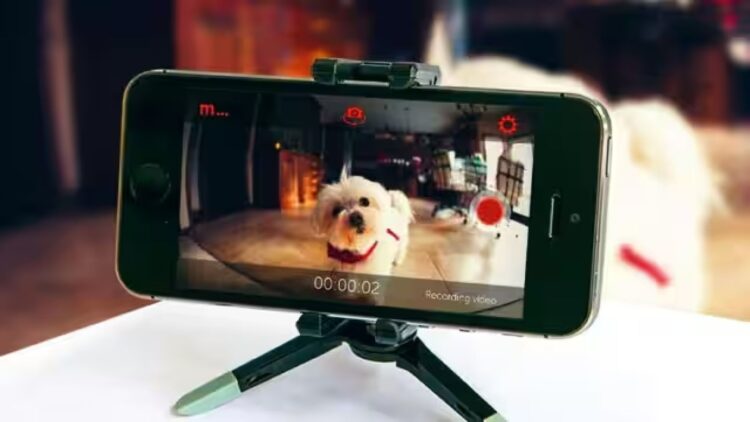
A smartphone is advanced technology accessible to almost everyone. And while a five-year-old smartphone might seem outdated, it’s actually a type of technology that can still be used for other purposes, such as home security cameras. In this way, an old smartphone can be transformed into a security camera with free apps and Wi-Fi, ideal for monitoring your home without spending any money.
Planned obsolescence, which causes smartphones to slow down or have shorter battery life
The truth is that smartphones from a few years ago, equipped with good quality cameras, Wi-Fi connectivity, and sensors, can be used for surveillance. In Europe, for example, people change their phones every two or three years, according to the European Environment Agency. This is due to planned obsolescence, which causes smartphones to slow down or have shorter battery life, and to the fact that manufacturers release new models and many users want to have the latest technology. But that doesn’t mean smartphones don’t work or can’t be given a second life.
The point is, before selling or throwing away a smartphone we no longer use, let’s look at the practical applications we can give it. Regardless of whether it’s a high-end or low-end smartphone, whether it’s no longer compatible with new updates, or whether it’s Android or iOS, it surely has everything necessary to become a home video surveillance system: a quality camera, a microphone, and even an internet connection. It all relies on applications designed to repurpose the phone’s hardware and turn it into a remote monitoring system.
Once the platform is installed, it’s very easy to configure it
Really, all you need to do is connect it to your home Wi-Fi network and install an app that gives it video surveillance features. Platforms like AlfredCamera, Manything, and WardenCam are among the most popular. Once the platform is installed, it’s very easy to configure it to view what the camera sees in real time from another device. To save battery, you can place your smartphone near a power outlet and leave it plugged in.
According to experts, the best option is to install the app on your current phone and pair the account by logging in or scanning a QR code. If the camera activates on the other smartphone, simply go to the menu and tap ‘Switch to Player’. Once set up, the older smartphone transmits real-time video over Wi-Fi using an encrypted connection. From your main phone, you can access the video feed, review recordings, and receive alerts.
One of the biggest benefits of these apps is motion detection
With today’s technology, it’s very easy to follow these steps and transform an object we’d forgotten in a drawer into a valuable item in our homes. One of the biggest benefits of these apps is motion detection. When the system identifies unusual activity, it sends an immediate notification and records short clips that are usually stored in the cloud. In any case, it’s also important to keep in mind that the apps we download are generally safe, but you should keep your phone updated and make sure you always have the latest version of the app; this is essential to minimize risks. Even if your device and app are up to date, you should know that the transmitted images are sent through third-party servers.
One final recommendation relates to smartphone placement. Positioning the device high up, with a wide view towards doors or windows, improves area monitoring. A small tripod or a fixed mount is usually sufficient for this. Additionally, if using a smartphone as a security camera, it’s advisable to only activate it when you’re not going to display anything confidential or sensitive personal data.